As a seller, need to cancel an order? Here’s how to cancel it and refund the buyer in full.
Screens look different? We update PickFresh frequently based on user feedback. If your app looks different from these screenshots, check the App Store or Google Play for the latest update.
1. Open the Order
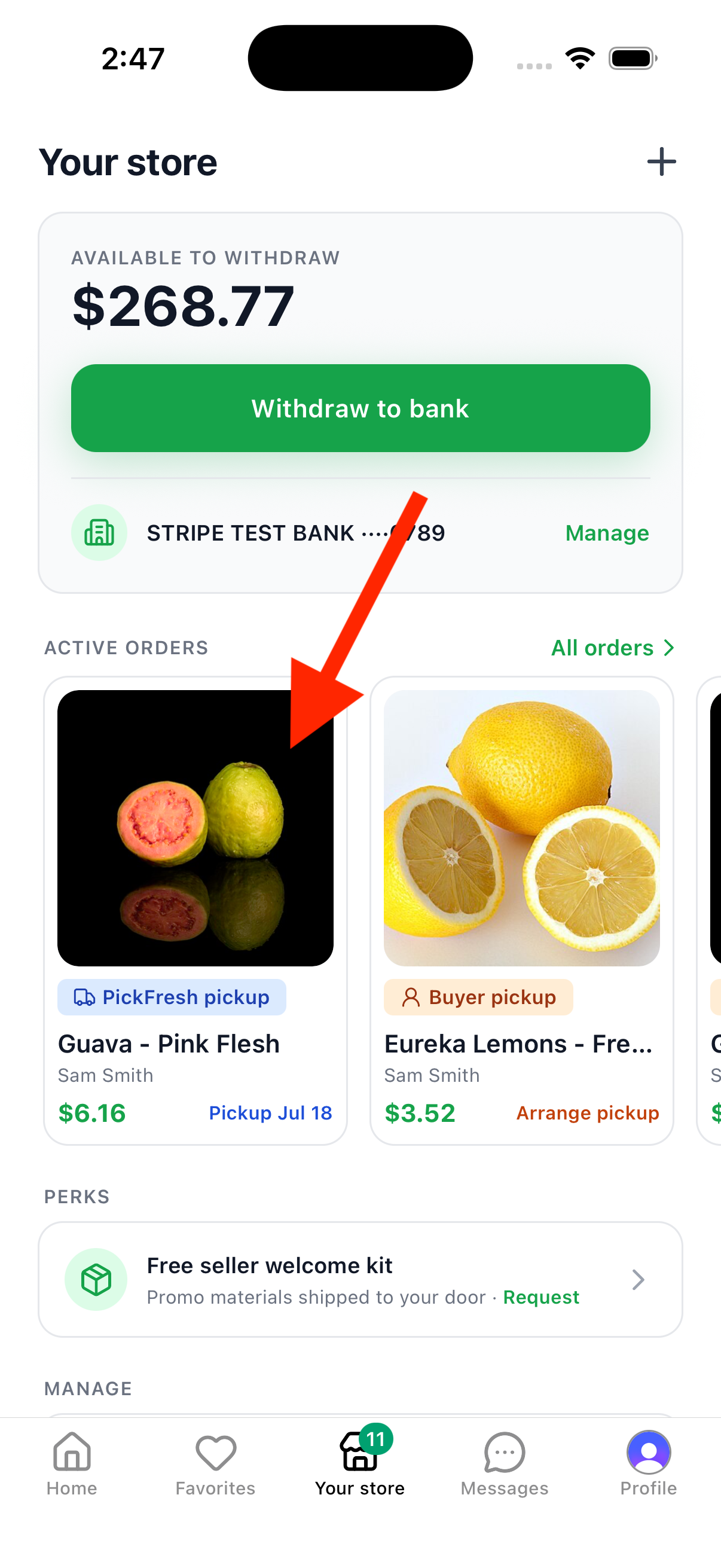
Tap the Your store tab in the bottom navigation. Under Active orders, tap the order you want to cancel to open its details.
2. Tap Cancel Order
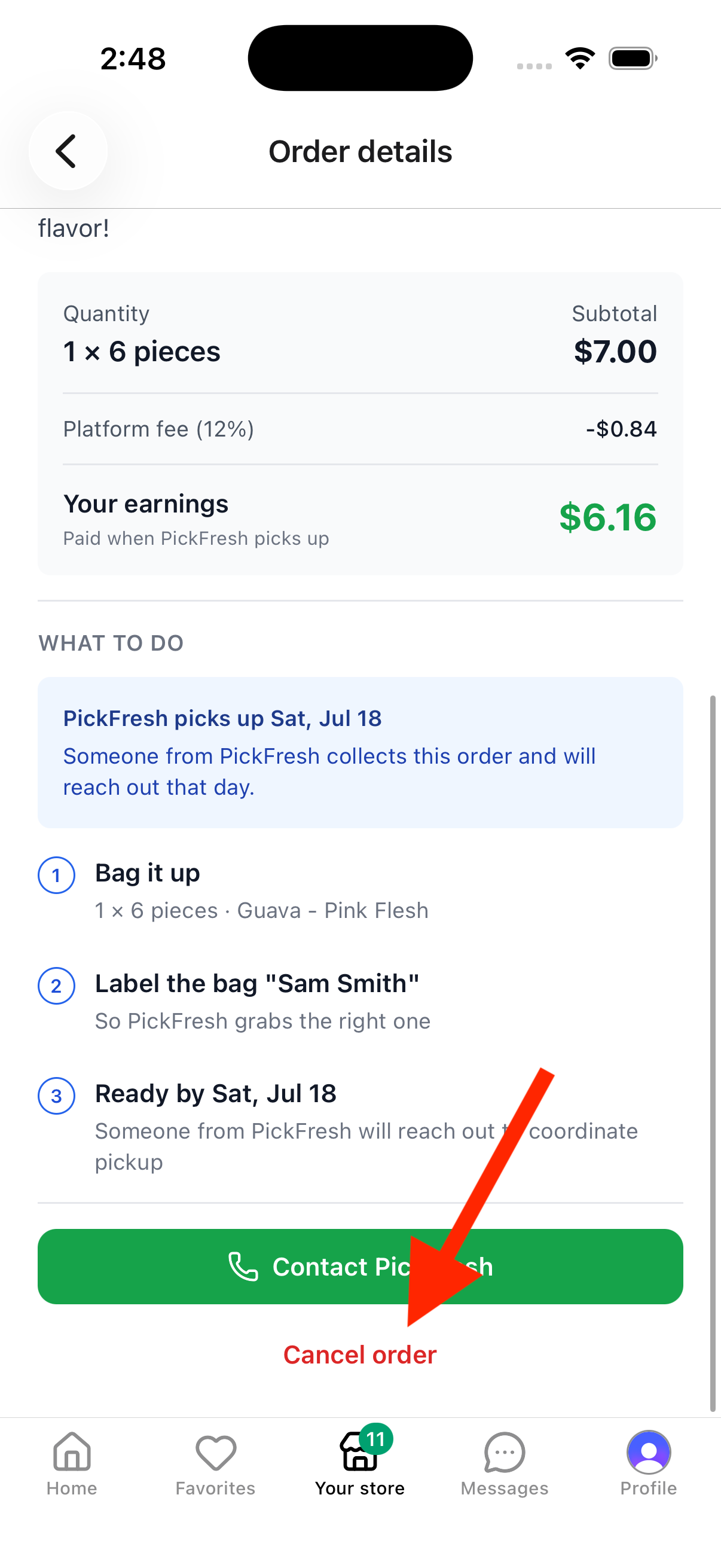
Scroll to the bottom of the Order details screen and tap the red Cancel order button.
3. Select a Reason and Confirm
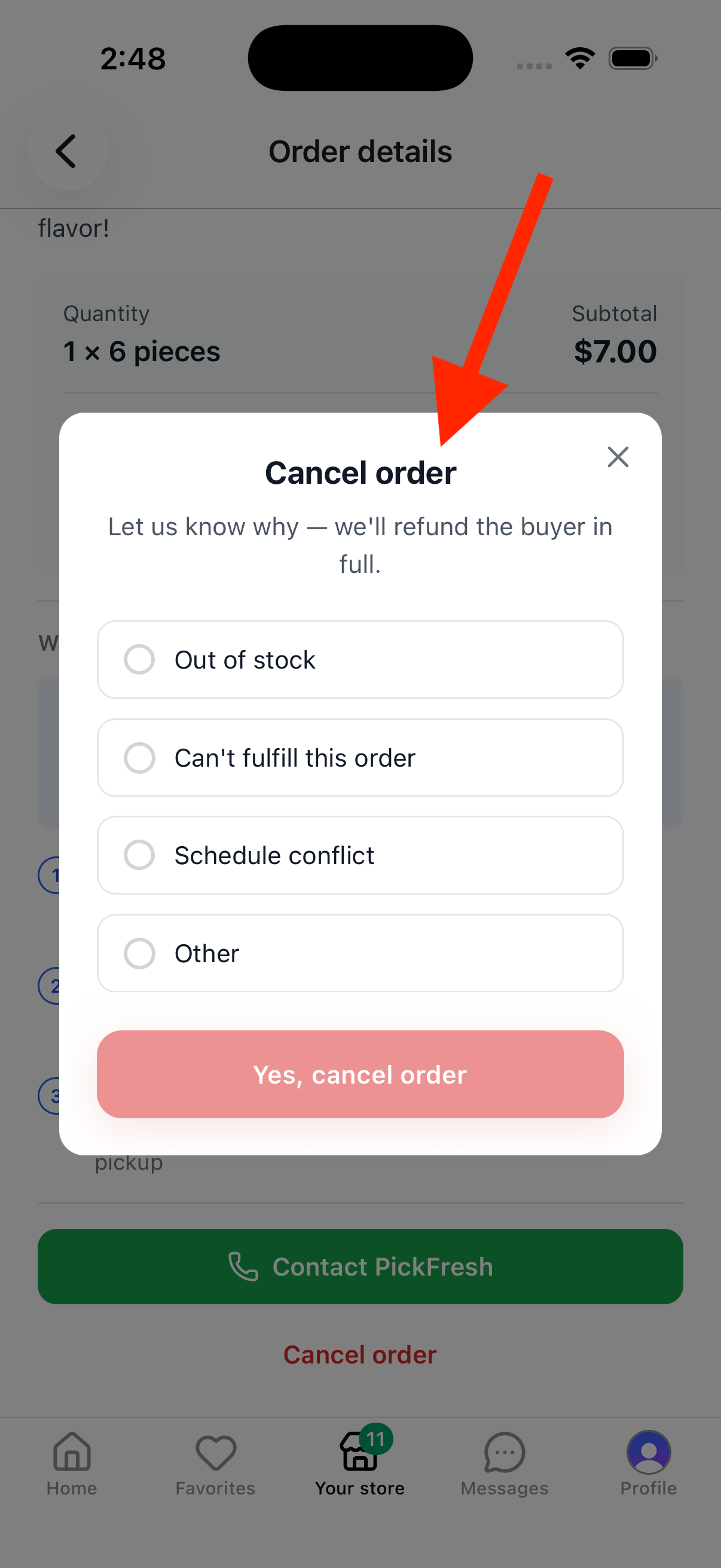
Let us know why you’re cancelling — pick a reason like Out of stock, Can’t fulfill this order, Schedule conflict, or Other. Then tap Yes, cancel order to confirm. The buyer will be refunded in full.
4. Order Cancelled
The order details will update to show This order has been cancelled — that’s how you know it’s done. The buyer is automatically refunded.
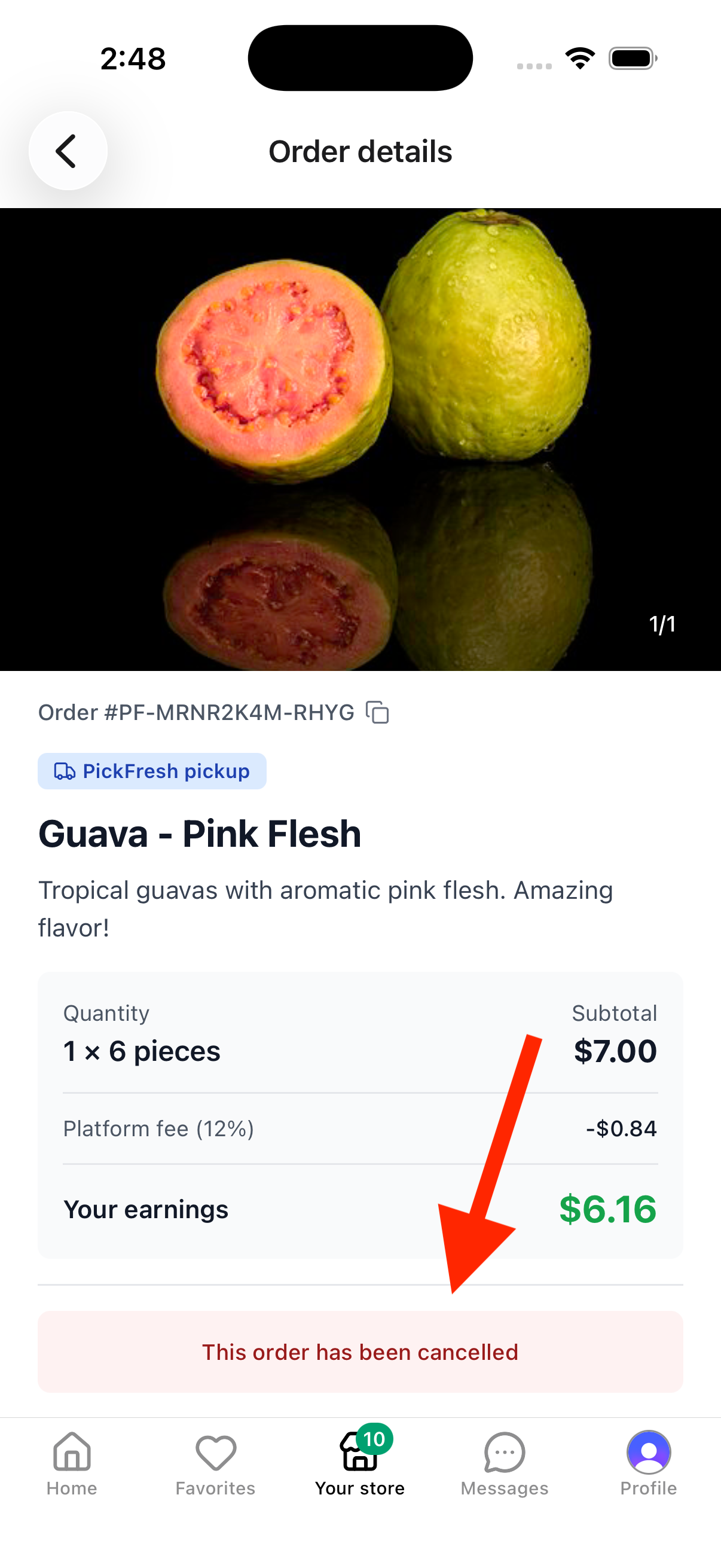
Note: The buyer is refunded in full to their original payment method, typically within 5-10 business days, depending on their bank.