Follow these steps to connect your bank account so you can receive payouts for your sales.
Screens look different? We update PickFresh frequently based on user feedback. If your app looks different from these screenshots, check the App Store or Google Play for the latest update.
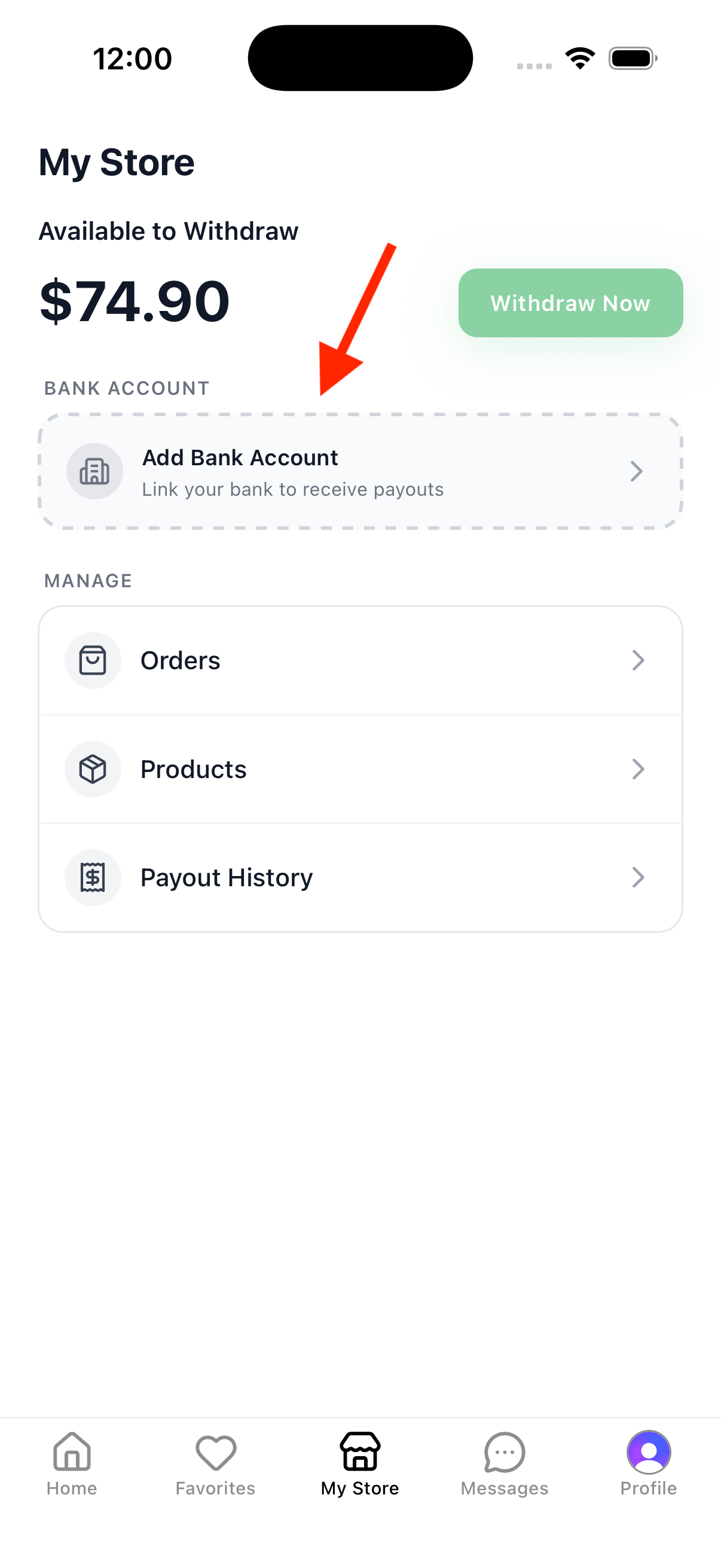
1. Tap Connect Bank Account
Tap the Your store tab in the bottom navigation. In the balance card at the top, tap Connect bank account.
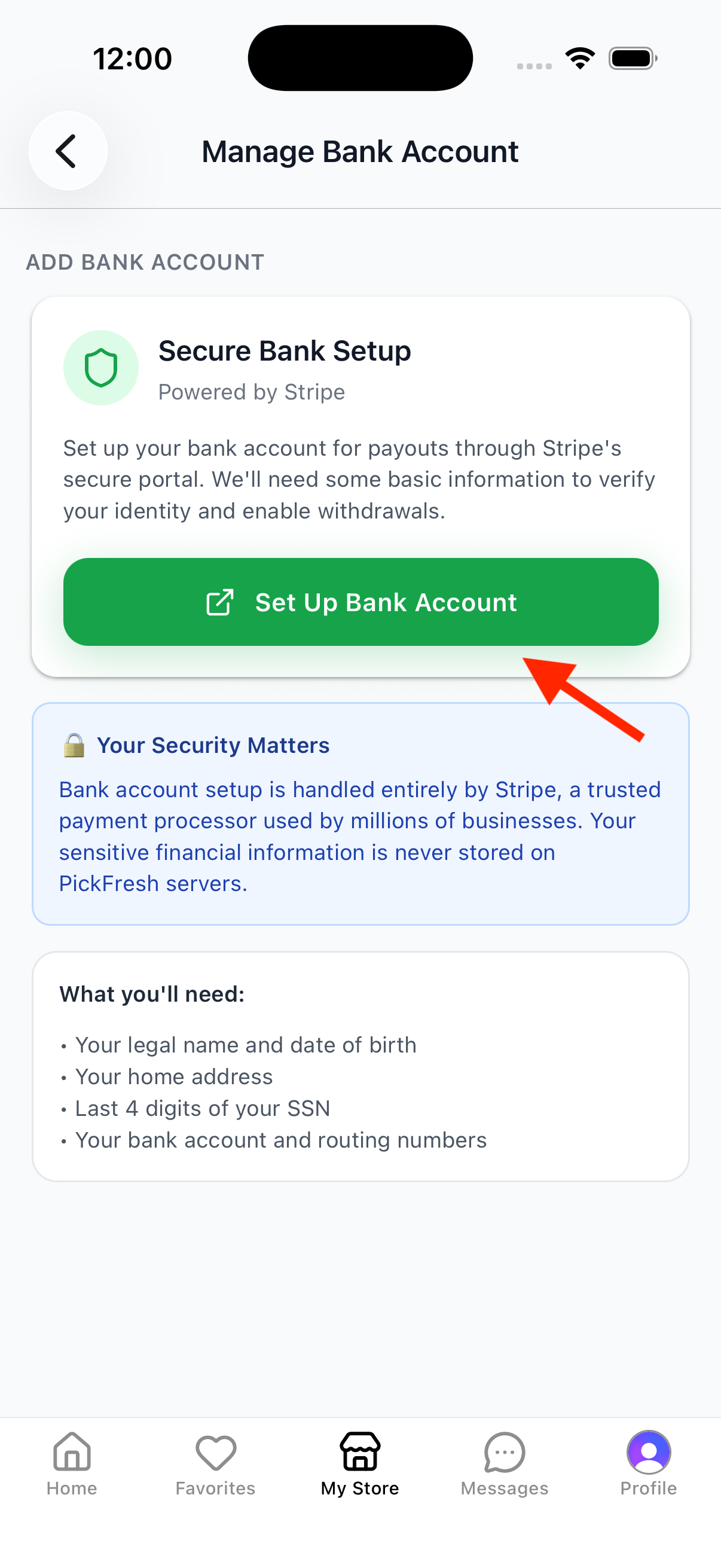
2. Set Up Bank Account
Review the secure setup info and what you’ll need (legal name, date of birth, home address, last 4 of your SSN, and bank account & routing numbers). Tap Set up bank account — you’ll be taken to Stripe’s secure portal to verify your identity and add your bank details.
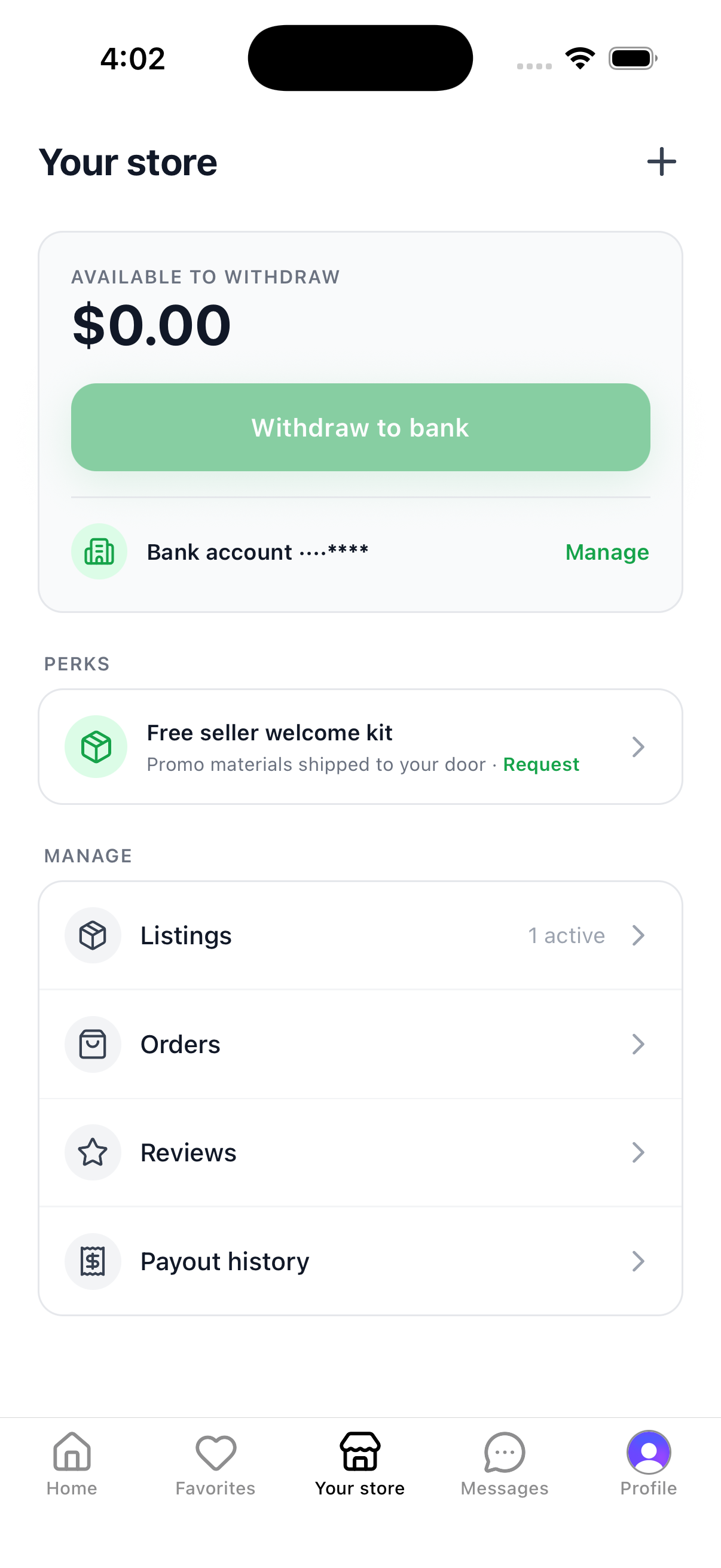
3. Bank Account Connected
Once you finish in Stripe, you’ll return to Your store. Your linked Bank account now appears in the balance card and Withdraw to bank is enabled — you’re all set to receive payouts.
Note: PickFresh uses Stripe for secure payments. Your sensitive financial information is never stored on PickFresh servers.