Need to temporarily take a listing off the marketplace? Here’s how to hide or deactivate a product without deleting it.
Screens look different? We update PickFresh frequently based on user feedback. If your app looks different from these screenshots, check the App Store or Google Play for the latest update.
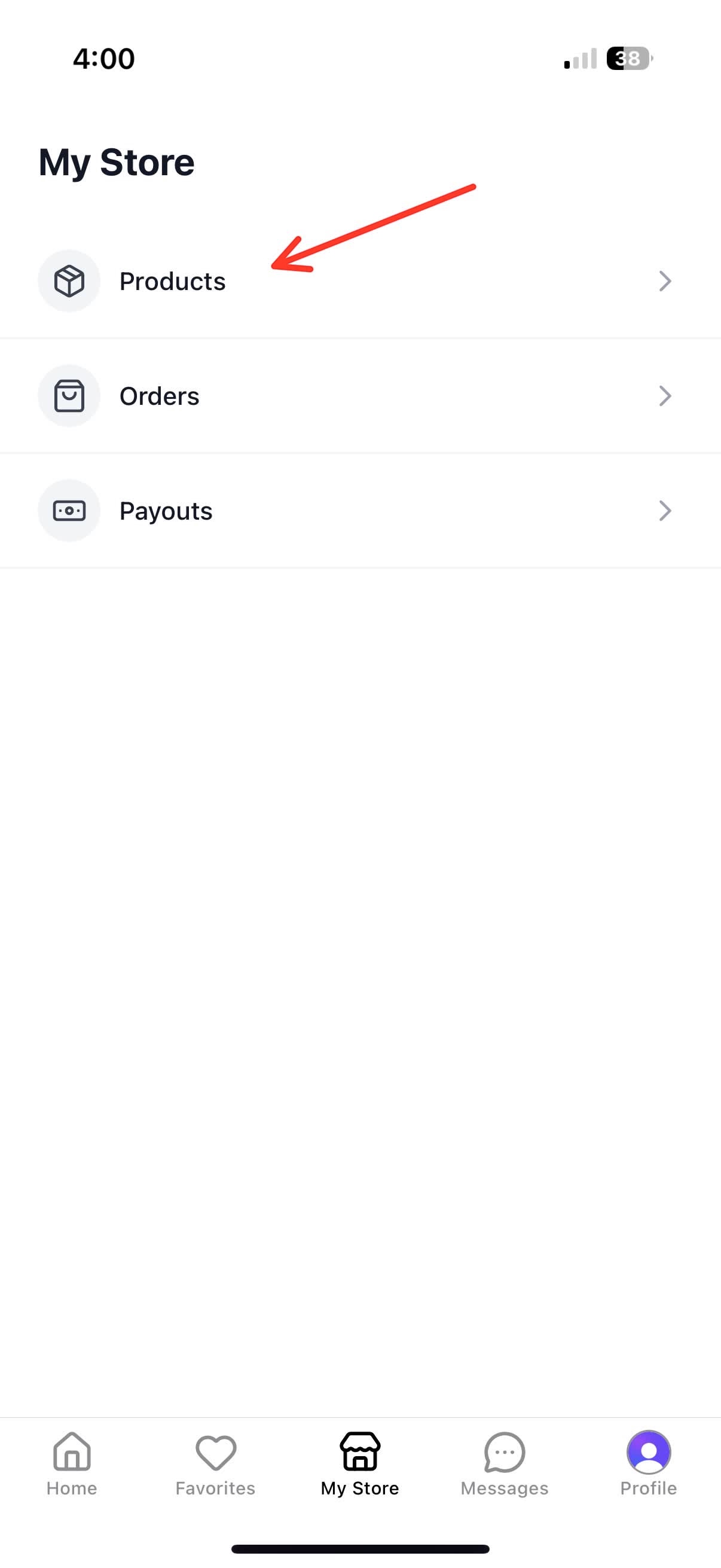
1. Go to Your Store
Tap the Your store tab in the bottom navigation. Under Manage, tap Listings to view your products.
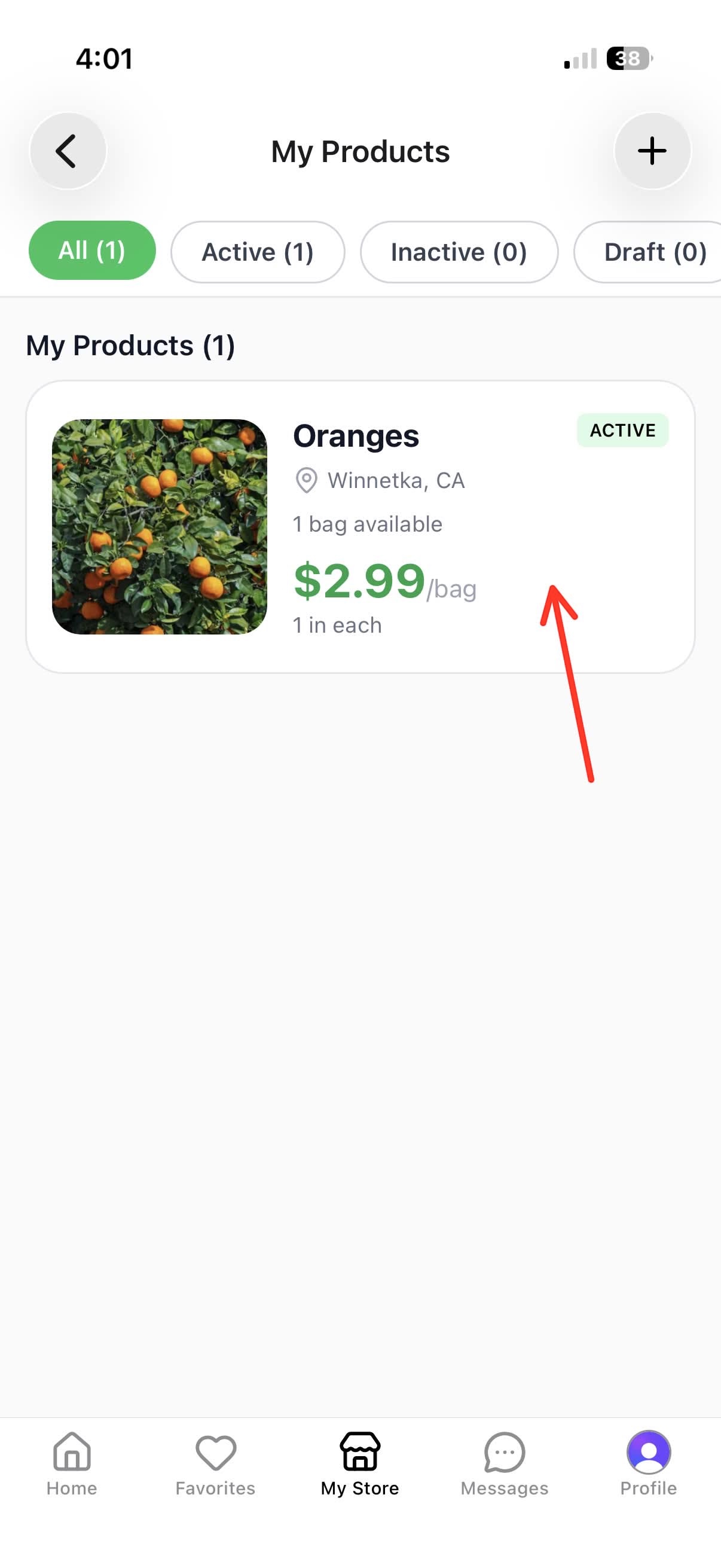
2. Select the Product
Find the product you want to deactivate and tap on it to open the edit screen. You can use the filters at the top to jump straight to your Active listings.
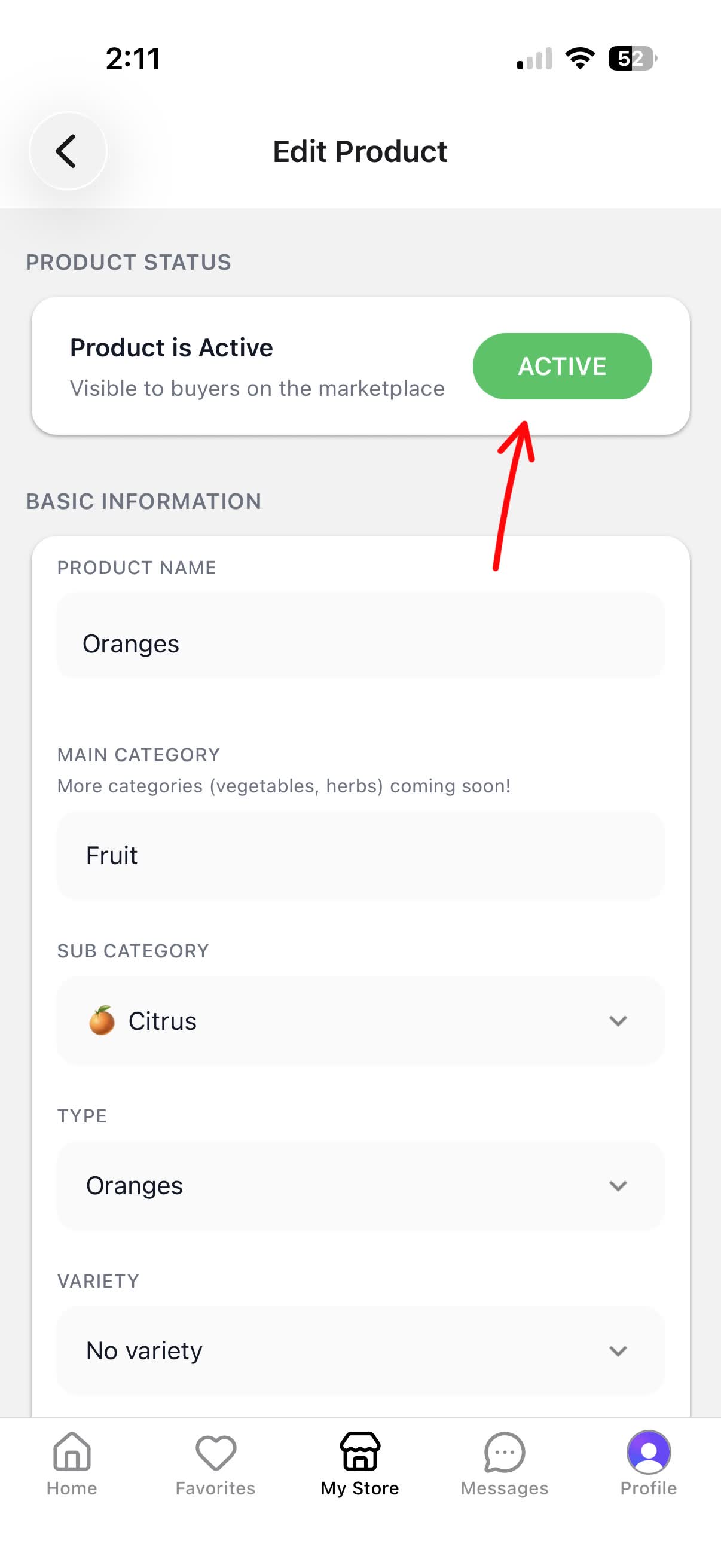
3. Tap the Active Button
At the top of the Edit listing screen, you’ll see the Product Status section showing “Product is active.” Tap the green ACTIVE button.
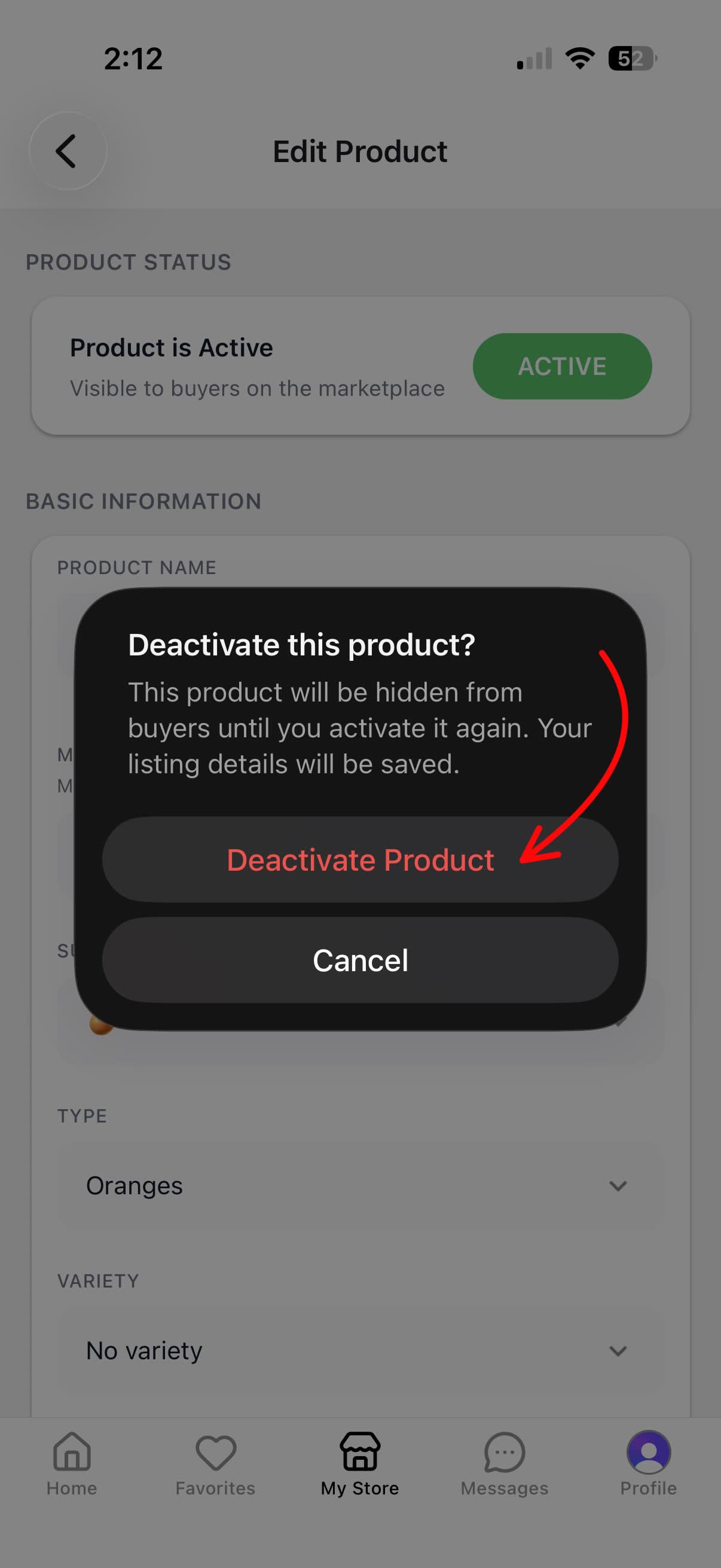
4. Confirm Deactivation
A confirmation dialog will appear. Tap Deactivate product to confirm. The listing will be hidden from buyers until you activate it again, and your listing details will be saved.
5. Product is Now Inactive
The Product Status now reads “Product is inactive” with a gray INACTIVE button — that’s how you know it worked. Your listing is hidden from buyers and your details are saved.
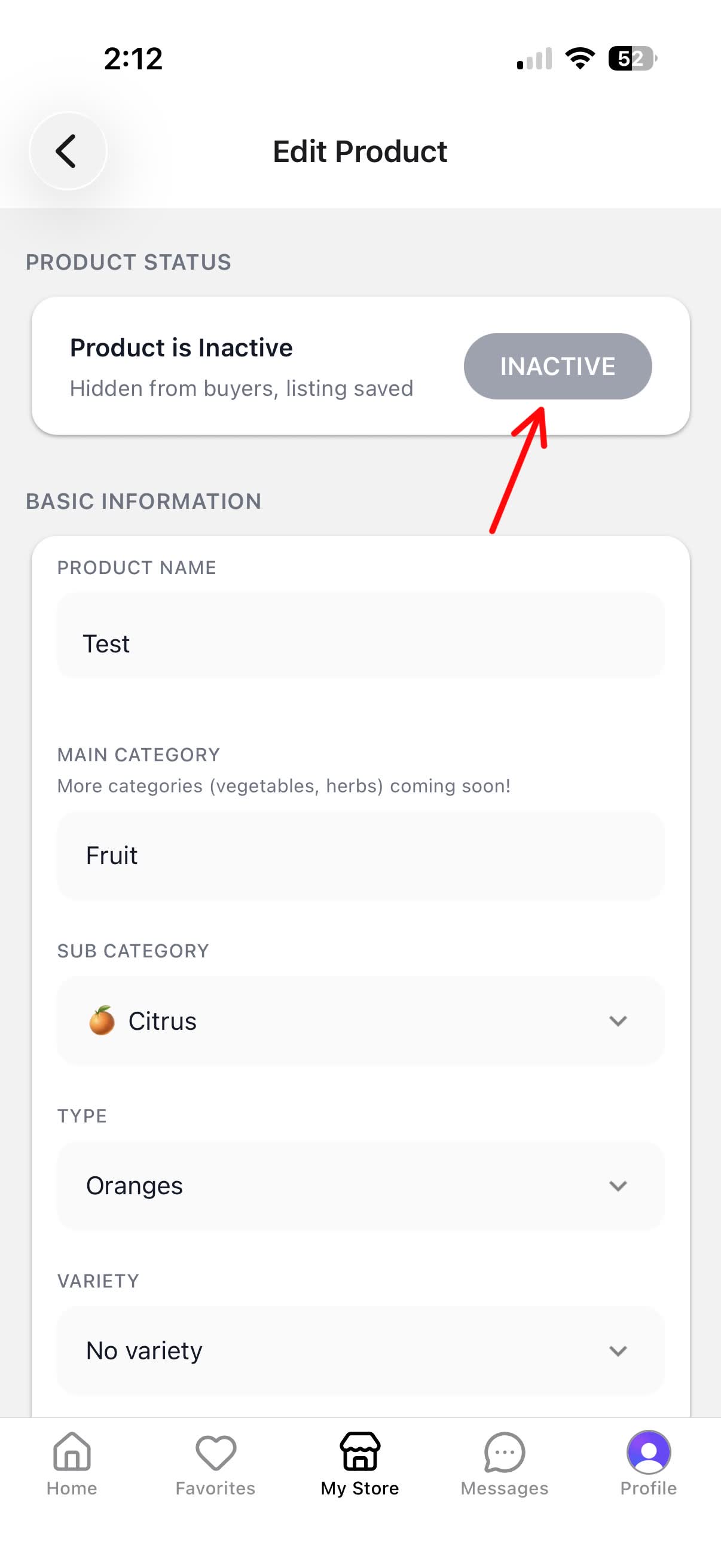
Tip: To make your product visible again, just tap the INACTIVE button and confirm to reactivate it. All your photos and details will still be there!