SMS opt-in program details
How PickFresh users opt in to transactional text messages, and how they can opt out at any time.
Program summary
Program Name
PickFresh Notifications
Message Type
Transactional only (order alerts, buyer messages, payment confirmations, account notifications)
Frequency
Varies based on account activity — typically one message per buyer action
Opt-Out
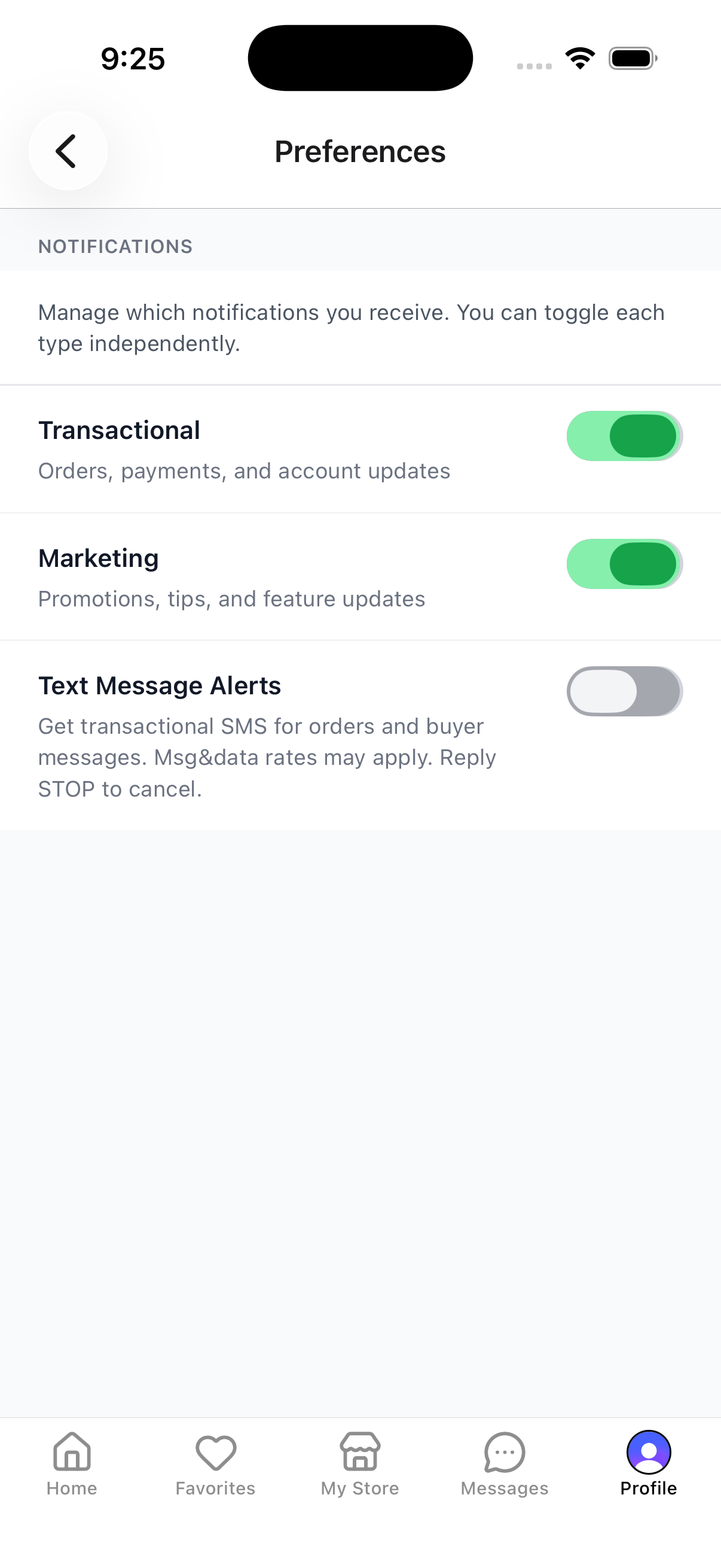
Reply STOP to any SMS, or toggle SMS off in Profile › Preferences. Immediate, no confirmation required.
Help
Reply HELP to any SMS, or email gopickfresh@gmail.com
Rates
Message and data rates may apply. Carriers are not liable for delayed or undelivered messages.
Full Disclosure Text Shown at the Moment of Consent
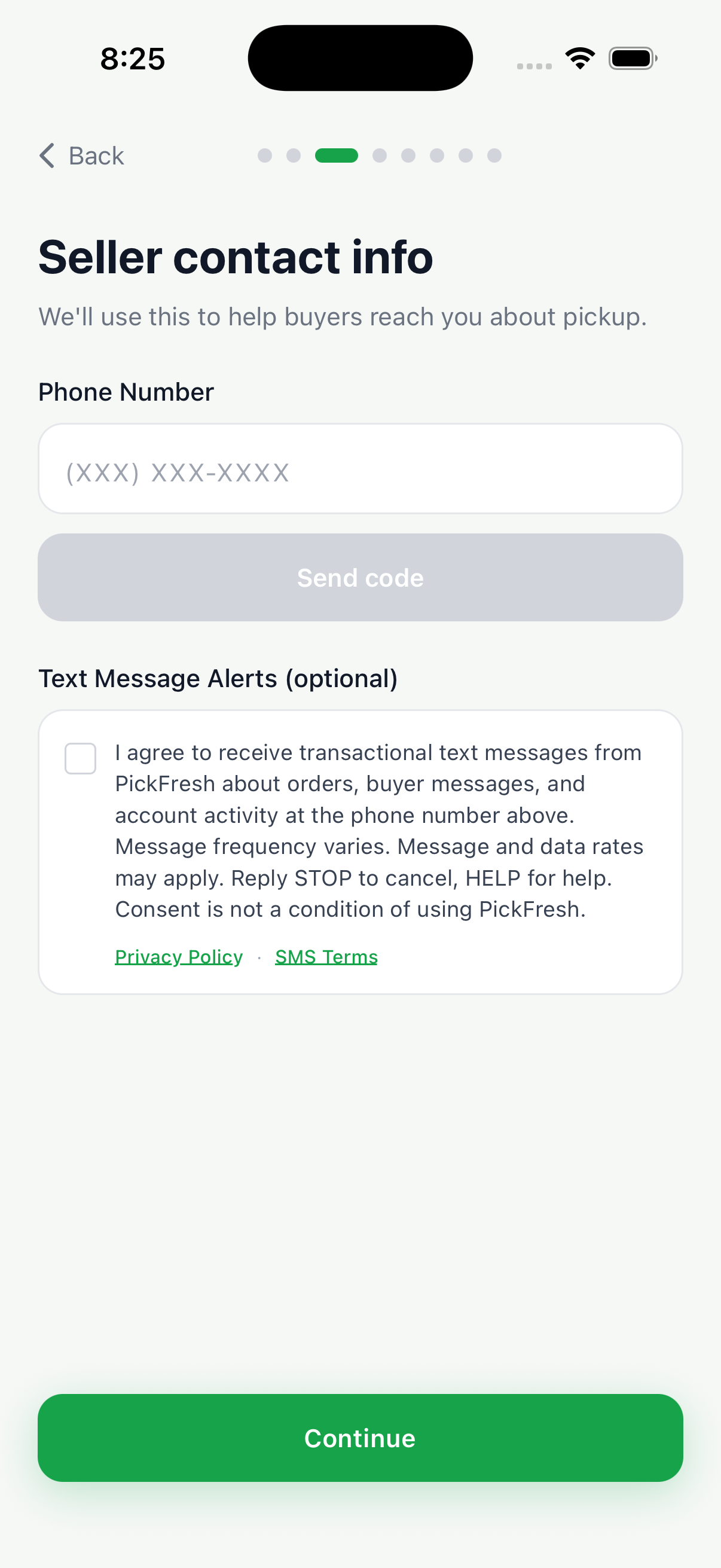
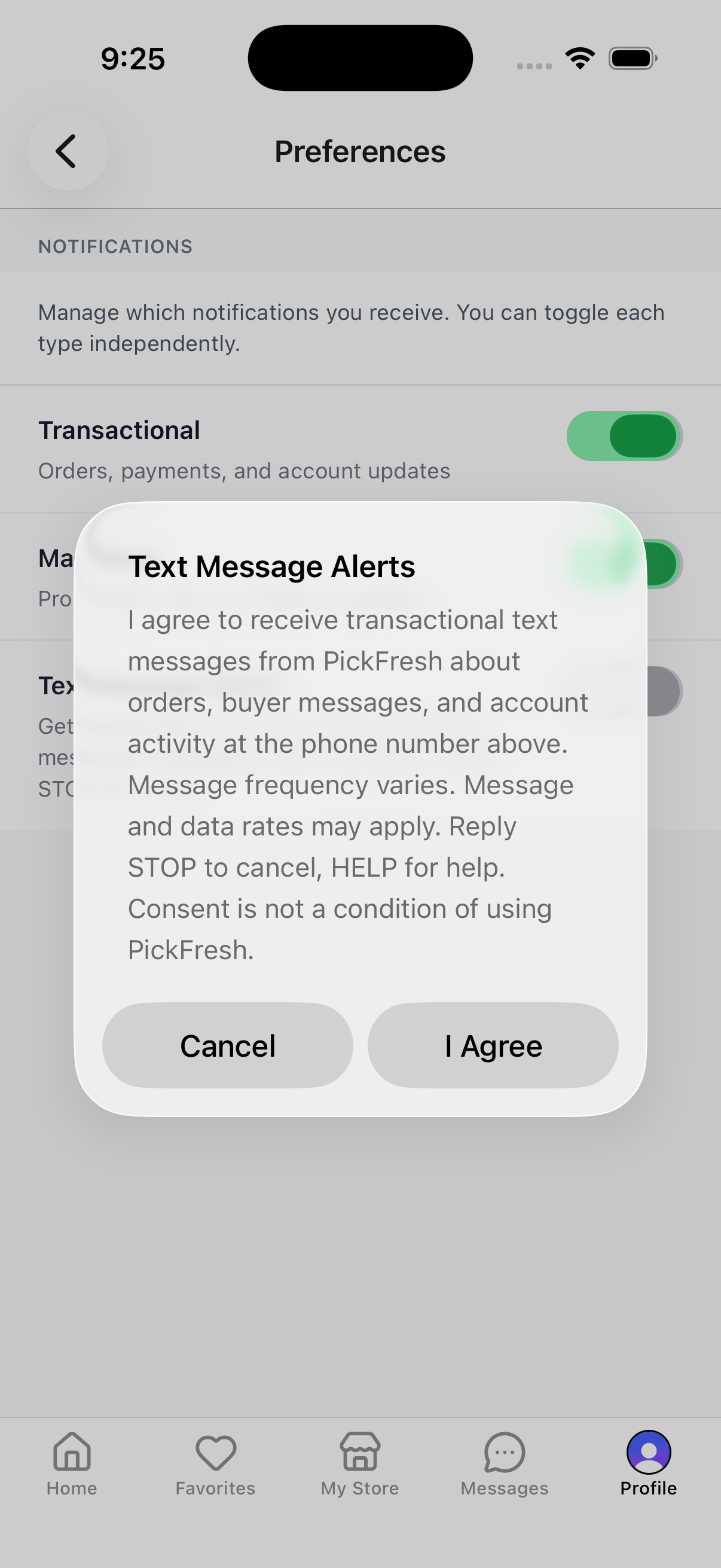
"I agree to receive transactional text messages from PickFresh about orders, buyer messages, and account activity at the phone number above. Message frequency varies. Message and data rates may apply. Reply STOP to cancel, HELP for help. Consent is not a condition of using PickFresh."
How users opt in
Two equivalent opt-in paths exist inside the PickFresh mobile app (iOS and Android). Each requires the user to view the full A2P disclosure and take an explicit action before consent is recorded.
Primary Opt-In — Onboarding
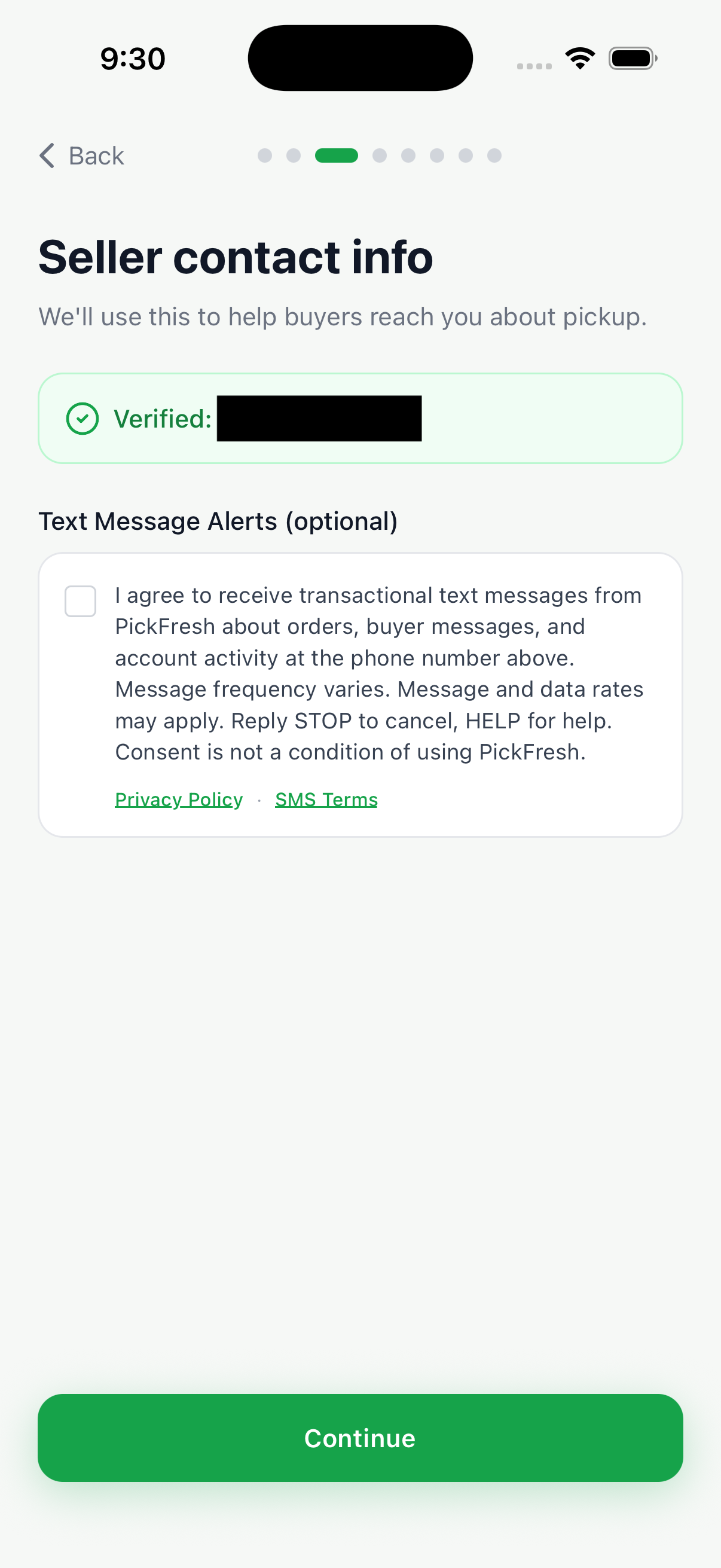
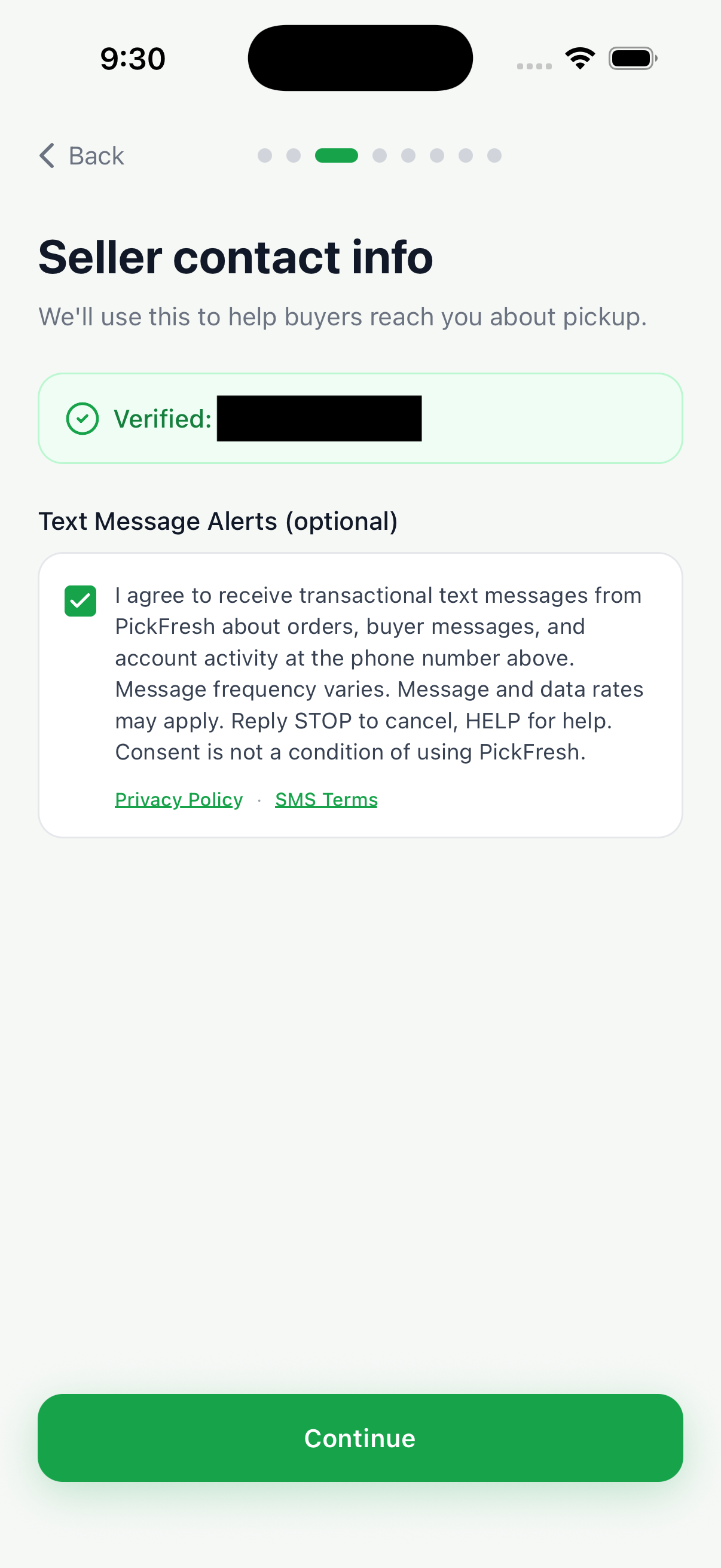
During first-time signup, every user reaches a contact-info screen: sellers see "Seller contact info" where phone number entry and Clerk-based OTP verification are required to continue, and buyers see "Your phone number" where phone is optional. Both screens display an unchecked SMS consent checkbox below the phone field containing the full A2P 10DLC disclosure. The Continue button is enabled regardless of the checkbox state — consent is NOT a condition of using PickFresh. Consent is only recorded when the user explicitly taps the checkbox before continuing.
Secondary Opt-In — Profile › Preferences
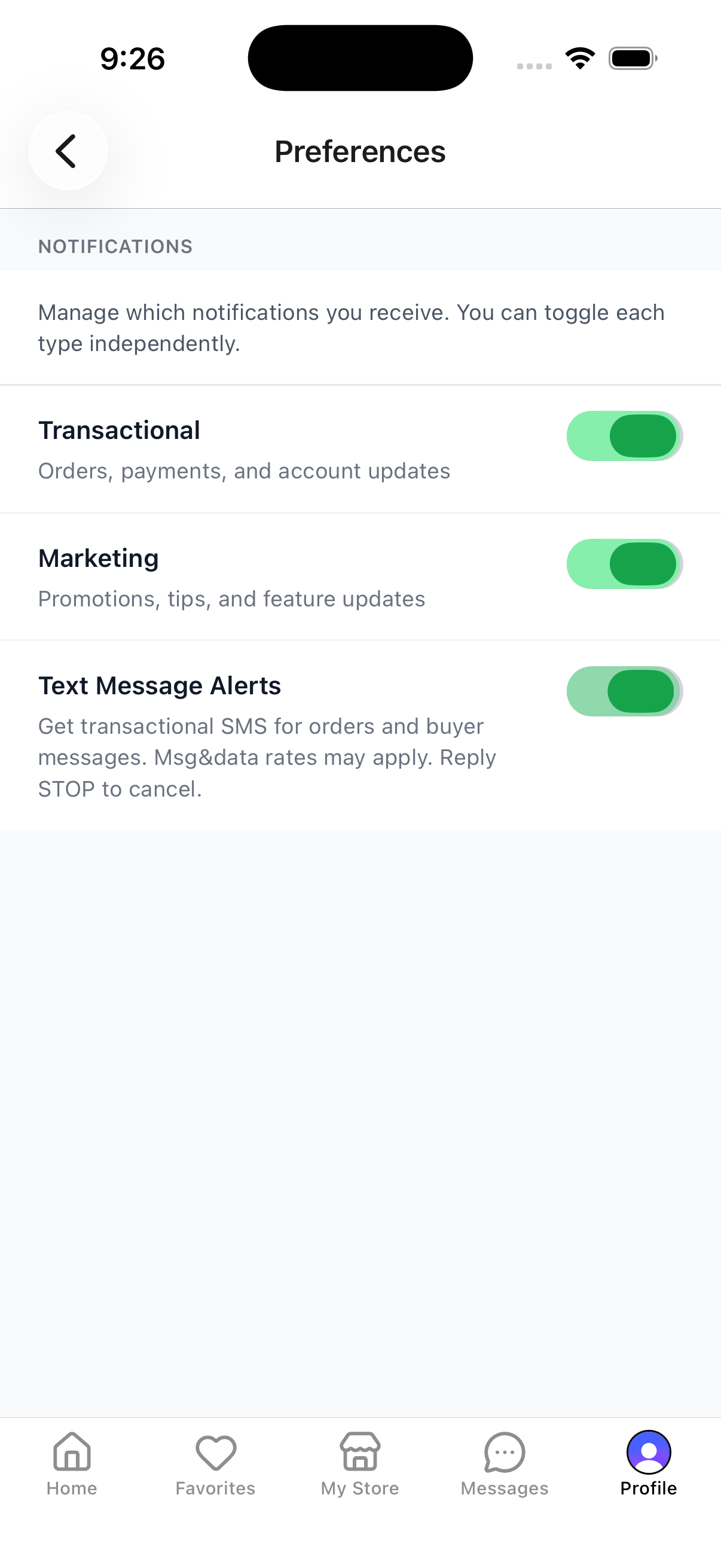
At any time, users can open Profile › Preferences and tap the "Text Message Alerts" toggle. Turning it on triggers a confirmation dialog containing the full A2P disclosure; consent is only recorded after the user taps "I Agree". Turning it off is instant with no confirmation — opt-out is always frictionless. Users who do not have a verified phone on file can also verify (or update) their number from Profile › Account Details, which presents the same Clerk-based OTP flow.
Mobile data privacy
No mobile information will be shared with third parties or affiliates for marketing or promotional purposes. All opt-in requests and consent information are not shared with any third parties.
We share your phone number only with the messaging infrastructure provider that helps us deliver the messages you asked to receive, and only for the purpose of delivering those messages. Full details are in the SMS and Text Messaging section of our Privacy Policy and the SMS Messaging Terms (§10) in our Terms of Service.