Ready to get paid? Here’s how to withdraw your earnings from sales.
Before you start: Make sure you’ve connected your bank account first.
Screens look different? We update PickFresh frequently based on user feedback. If your app looks different from these screenshots, check the App Store or Google Play for the latest update.
1. Tap Withdraw to Bank
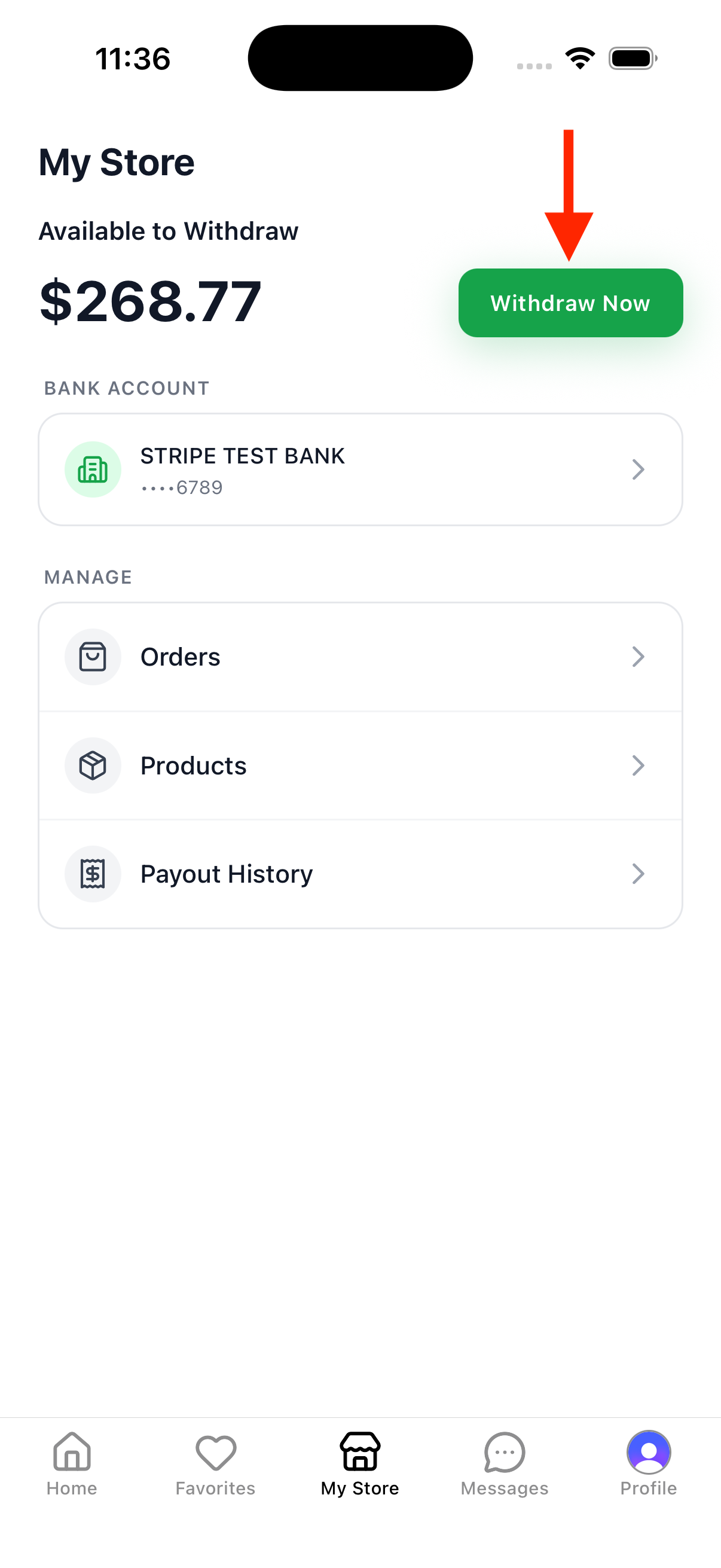
Tap the Your store tab in the bottom navigation. You’ll see your Available to Withdraw balance at the top — tap Withdraw to bank to start the transfer.
2. Enter Amount
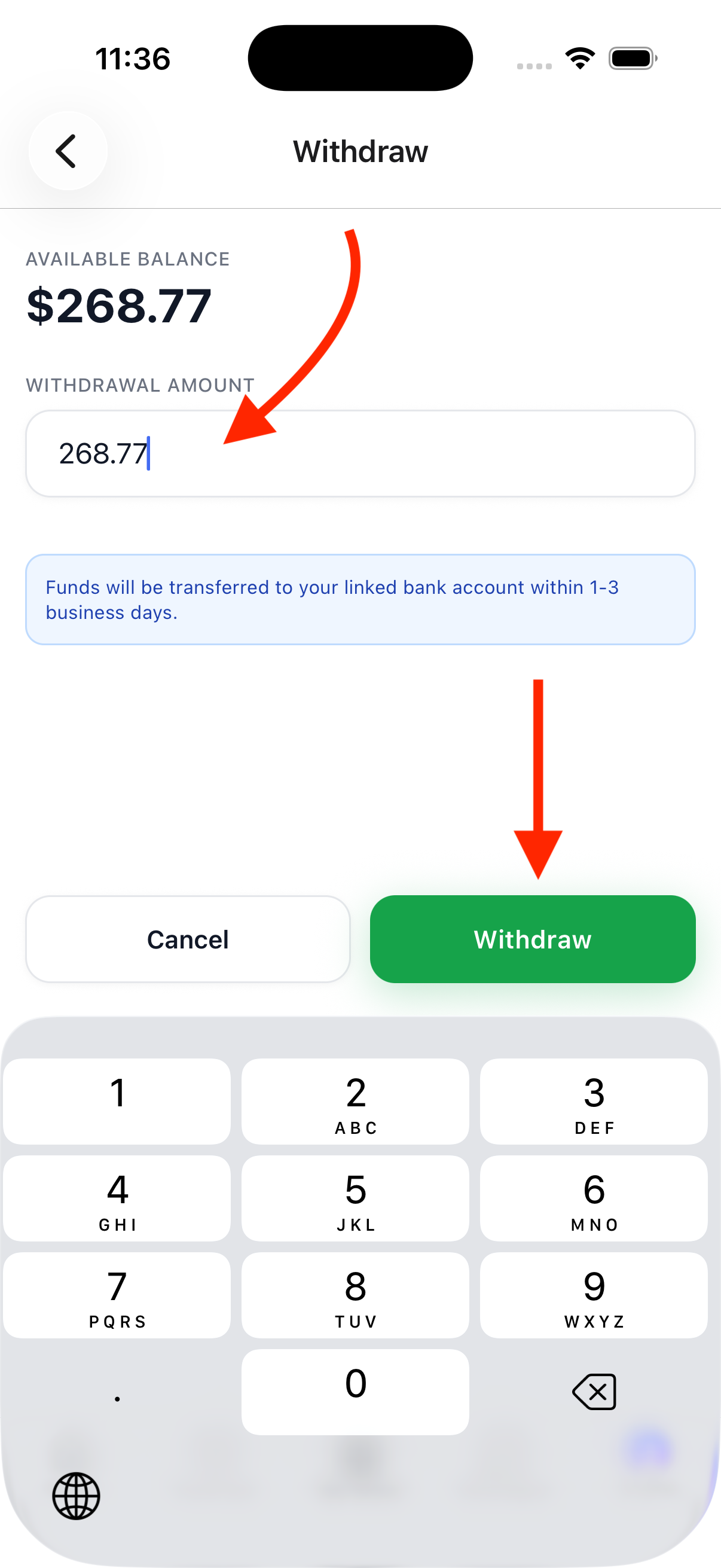
Enter the amount you want to withdraw, then tap the Withdraw button. Funds will be transferred to your linked bank account within 5-10 business days.
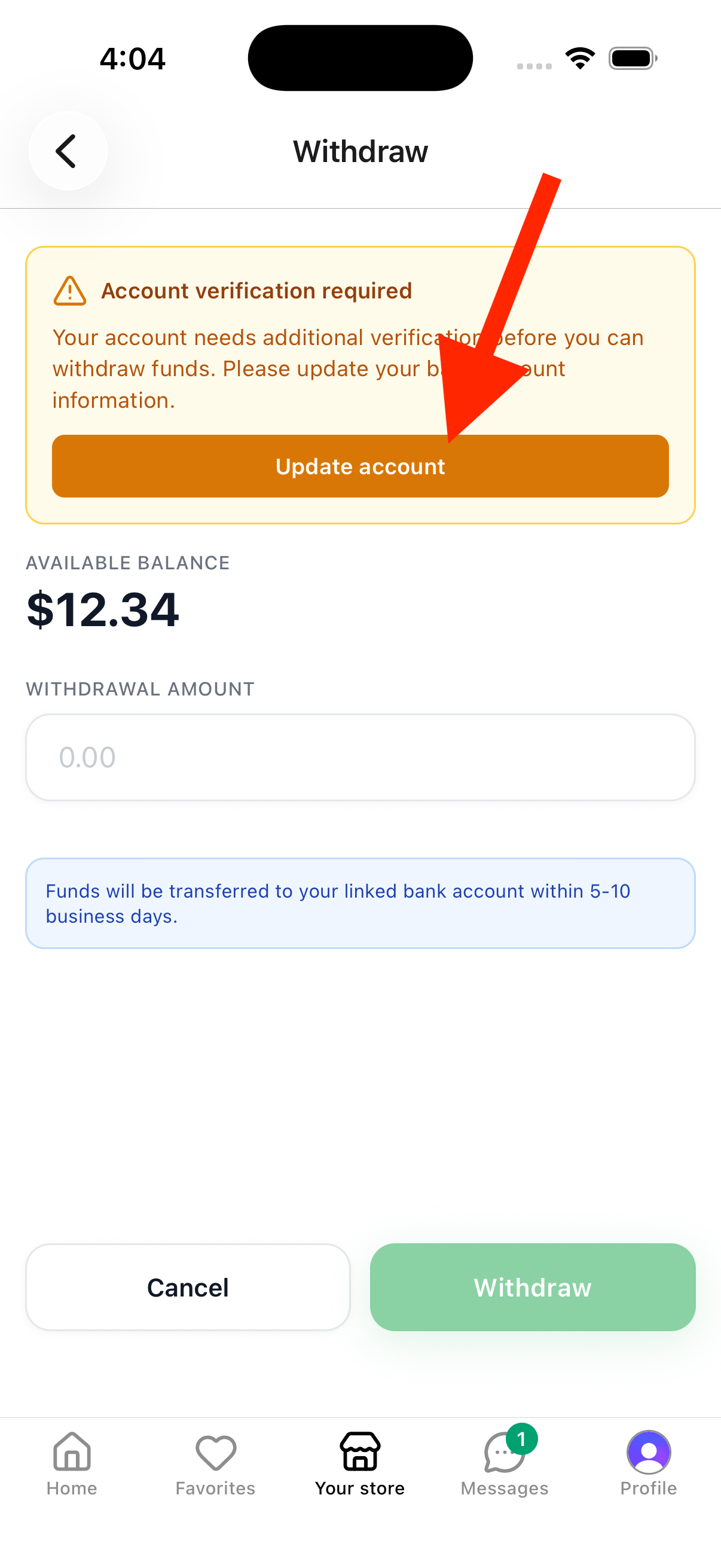
Verification required? If you see an Account verification required banner, tap Update account to finish verifying your details with Stripe before you can withdraw.
3. Confirm Withdrawal
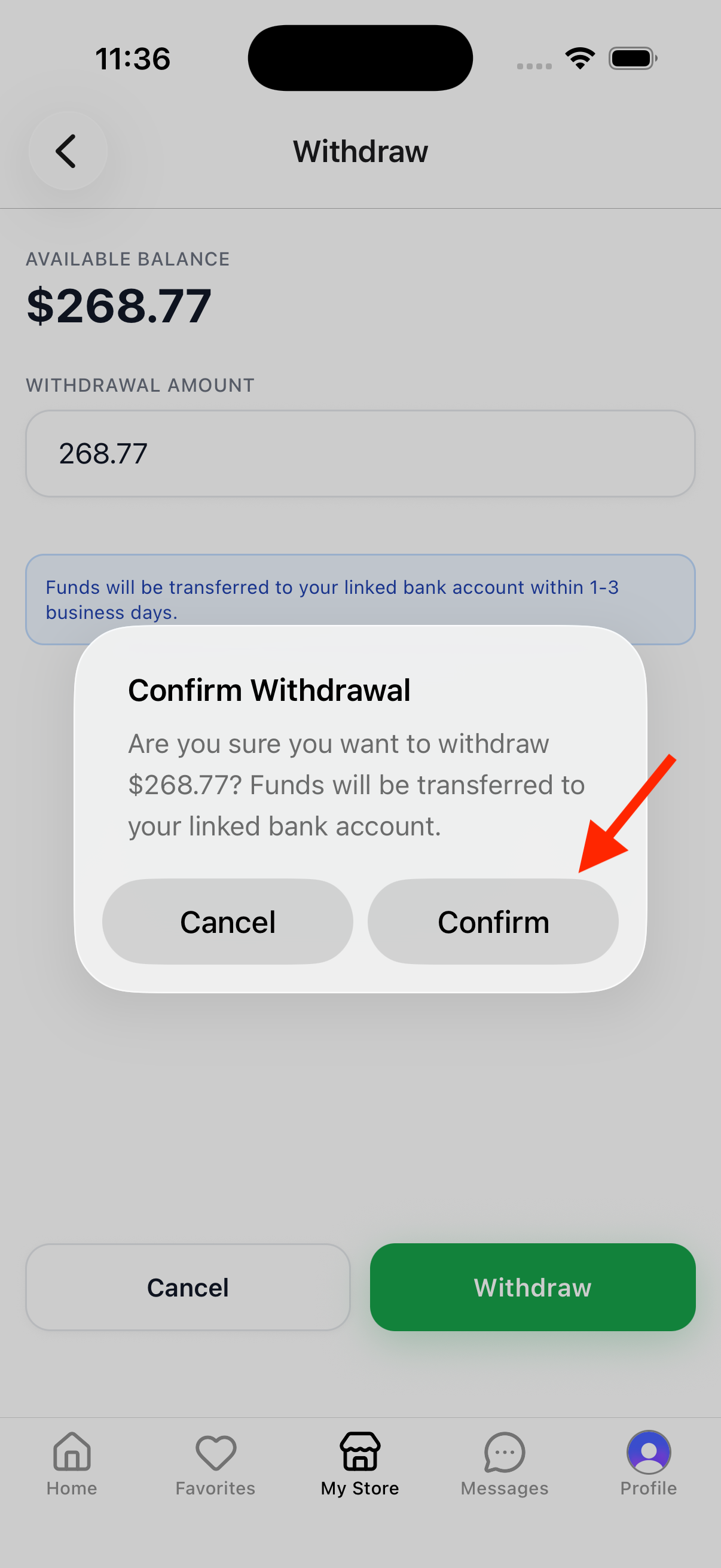
A confirmation dialog will ask you to confirm the amount. Tap Confirm to complete the withdrawal.
4. Done!
Your withdrawal is being processed. Funds typically arrive in your bank account within 5-10 business days. You can check the status under Payout history on the Your store tab.
Note: Payouts are processed through Stripe. The transfer time depends on your bank.